Tips Trik

Tips Saat Wawancara/ Interview Kerja


Sudah bukan rahasia lagi kalau interview atau wawancara pekerjaan merupakan hal paling kritikal untuk mendapatkan pekerjaan yang Anda inginkan. Karena itu, tentu Anda tahu bahwa Anda harus mempersiapkan diri Anda seprima mungkin, baik fisik dan mental. Ketok kali ini akan memberi Anda tips untuk menghadapi delapan belas pertanyaan yang paling umum dan tersulit dalam sebuah wawancara pekerjaan.
1. Beritahukan kami tentang diri Anda?
Biasanya ini merupakan pertanyaan pembuka, karena itu jangan menghabiskan terlalu banyak waktu untuk menjawabnya. Berikan jawaban yang menjawab empat subjek: tahun-tahun terakhir, pendidikan, sejarah kerja, dan pengalaman karir terakhir.

2. Apa yang Anda ketahui tentang kami?
Ketika pertanyaan ini dikeluarkan, anda diharapkan mampu mendiskusikan produk atau pelayanan, pendapatan, reputasi, pandangan masyarakat, target, permasalahan, gaya managemen, orang-orang di dalamnya, sejarah, dan filosofi perusahaan. Berikan jawaban yang memberitahu pewawancara bahwa Anda meluangkan waktu mencari tahu tentang perusahaan tersebut, namun jangan beraksi seperti Anda tahu segalanya tentang perusahaan tersebut, tunjukan keinginan mempelajari lebih banyak tentang perusahaan tersebut, dan jangan memberikan jawaban negatif seperti “Saya tahu perusahaan anda mengalami problema-problema, itu alasan saya disini”. Tekankan keunggulan perusahaan dan minat Anda terhadap hal tersebut.

3. Apa yang dapat Anda berikan pada kami (yang orang lain tidak bisa beri)?
Sebutkan prestasi-prestasi dan jenjang karir yang Anda telah capai. Sebutkan kemampuan dan hal-hal yang menarik perhatian Anda, gabungkan dengan sejarah Anda mencapai hal-hal itu. Sebutkan kemampuan Anda menentukan prioritas, mengidentifikasi masalah, dan

4. Apa yang paling menarik menurut Anda dari pekerjaan ini? Dan apa yang paling tidak menarik?
Sebutkan tiga sampai empat faktor menarik dari pekerjaan yang anda hendak ambil dan satu hal kecil sebagai faktor yang kurang menarik.

5. Mengapa kami harus merekrut Anda?
Pertanyaan ini sama seperti pertanyaan nomor empat, sebutkan saja kemampuan-kemampuan Anda yang mampu mendukung perusahaan tersebut.

6. Apa yang Anda cari di dalam sebuah pekerjaan?
Berikan jawaban yang berkisar pada oportunitas di dalam organisasi. Beritahukan pewawancara kalau Anda ingin memberikan kontribusi dan dikenali. Hindari jawaban yang mempersoalkan kestabilan keuangan pribadi.

7. Menurut Anda, apa definisi dari posisi yang Anda inginkan?
Berikan jawaban yang singkat dan berkisar tentang tugas dan kewajiban. Pastikan Anda mengerti posisi tersebut sebelum Anda hendak menjawab.

8. Berapa lama waktu yang Anda butuhkan untuk memberikan kontribusi berarti bagi kami?
Beri jawaban yang realistik. Beritahukan pewawancara bahwa walaupun Anda akan berusaha mengatasi segala harapan dan tantangan dari hari pertama, Anda membutuhkan sekitar enam bulan untuk benar-benar mengerti organisasi perusahaan dan kebutuhannya.

9. Berapa lama Anda akan bersama kami?
Beritahukan pewawancara bahwa Anda tertarik berkarir bersama perusahaan tersebut namun Anda ingin tetap tertantang untuk mencapai target bersama.

10. Dari resume Anda, kami rasa Anda terlalu berpengalaman untuk posisi ini. Bagaimana pendapat Anda?
Ini pertanyaan jebakan. Anda diharapkan untuk tetap rendah hati namun percaya diri dengan kemampuan Anda. Cara terbaik menanganinya adalah menjawab bahwa Anda butuh mengenal perusahaan lebih jauh sebelum dapat dengan efisien bekerja di tingkat yang lebih tinggi.

11. Kenapa Anda meninggalkan pekerjaan Anda yang sebelumnya?
Anda sebaiknya menjawab pertanyaan ini dengan jujur namun singkat dan jelas termasuk jika hal tersebut karena Anda dipecat. Namun yang perlu diperhatikan, Anda sebaiknya jangan menyebutkan konflik pribadi. Perlu Anda perhitungkan bahwa pewawancara mungkin akan bertanya banyak soal masalah ini, jangan sampai Anda terbawa emosi.

12. Apa yang Anda rasakan ketika harus meninggalkan pekerjaan Anda?
Beritahu pewawancara bahwa Anda merasa khawatir namun jangan terkesan panik. Katakan bahwa Anda siap menerima segala resiko demi mendapatkan pekerjaan yang cocok untuk Anda. Jangan menunjukan bahwa Anda lebih mementingkan kestabilan keuangan.

13. Pada pekerjaan Anda sebelumnya, apa yang berkenan dengan Anda? Dan apa yang tidak berkenan?
Berhati-hatilah dalam menjawab pertanyaan ini dan kemukakan hal-hal positif. Deskripsikan lebih banyak hal yang Anda sukai daripada yang Anda tidak sukai. Jangan menyebutkan masalah pribadi. Jika Anda membuat pekerjaan sebelumnya terkesan buruk, pewawancara akan bertanya-tanya mengapa Anda berada disana. Hal ini jelas mengurangi profesionalisme Anda.

14. Apa pendapat Anda tentang bos Anda sebelumnya?
Ini juga pertanyaan yang harus Anda jawab dengan hati-hati. Sebisa mungkin jawablah pertanyaan ini dengan positif karena calon bos Anda akan merasa Anda akan membicarakan hal-hal buruk tentang dia seperti apa yang telah Anda lakukan terhadap bos yang terdahulu.

15. Mengapa Anda tidak mendapatkan pekerjaan yang lebih baik di usia Anda?
Lagi-lagi ini bisa menjadi pertanyaan jebakan. Beritahukan pewawancara bahwa inilah alasan Anda mencari lowongan pekerjaan di perusahaan tersebut. Jangan bersikap defensif.

16. Berapa gaji yang Anda minta?
Ini pertanyaan yang menggiurkan, namun pastikan Anda menyebutkan angka kisaran yang Anda yakin merupakan gaji yang pantas atau bertanya pada pewawancara berapa kisaran pada pekerjaan sejenis. Jika Anda diberi pertanyaan ini dari awal wawancara, sebaiknya Anda mengelaknya dengan mengatakan Anda ingin tahu seberapa banyak tanggung jawab yang akan Anda pegang di perusahaan tersebut. Tekankan bahwa Anda lebih mementingkan pekerjaannya namun jangan menjual standar Anda.

17. Apa target jangka panjang Anda?
Untuk menjawab pertanyaan ini, Anda lagi-lagi diharuskan meneliti perusahaan tersebut dan mengetahui rencana dan/atau target mereka lalu memberikan jawaban yang singkron dengan milik perusahaan.

18. Seberapa sukses yang Anda rasa telah capai?
Berikan jawaban yang positif dan percaya diri, namun jangan memberikan jawaban yang berlebih. Jangan membuat pewawancara merasa Anda seorang yang suka membesar-besarkan sesuatu.

Sumber: http://kerjadibali.com
Tips Meningkatkan Traffic Blog Anda

Langkah awal yang harus anda penuhi sebelum menuju kesuksesanTraffic Blog dalam bisnis online adalah mencari traffic / pengunjung. Tujuan kita melakukan optimasi, mengeluarkan uang untuk biaya iklan dan berusaha mengupdate konten seoriginal mungkin adalah mengharapkan traffic untuk blog kita. Seberapa pentingkah Traffic bagi blog? Bagi saya sangat penting dan mencari traffic adalah langkah sebelum memulai bisnis online.

Setelah menyelesaikan konsep bisnis online sesempurna mungkin, ada baiknya anda memulai langkah selanjutnya yaitu kembali membuat konsep untuk mendatangkan traffic bagi blog anda. Dan disinilah sebuah proses yang sangat melelahkan dan apabila berhasil melewatinya maka sudah dapat dipastikan 50% bisnis online anda akan berhasil.

Lalu apa saja yang harus kita lakukan untuk mendapatkan traffic tersebut? Entah Targeted Traffic maupun Bulk Traffic. Dalam artikel ini saya coba membagikan beberapa tips meningkatkan traffic blog anda sekaligus membantu proses self branding.

Berikut ini adalah tips meningkatkan traffic anda secara gratis:

1. Search Engine Optimization (SEO)
Sudah sangat banyak penjelasan dan artikel yang membahas tentang Search Engine Optimization, dan tujuan dari SEO adalah untuk mendapatkan Targeted Traffic.

2. Memberikan Sesuatu Secara Gratis
Untuk poin nomor 2 ini membutuhkan proses, karena anda diharuskan menciptakan sesuatu untuk diberikan secara gratis. Contohnya, E-Book gratis, Template Gratis, Wordpress Theme Gratis dan masih banyak lagi.

3. Forum Signature
Forum signature adalah beberapa kata atau kalimat yang terletak di bagian bawah dari hasil postingan anda pada forum. Cobalah untuk aktif di forum sehingga anda mendapatkan reputasi yang baik, sehingga segala atribut yang menempel pada nickname anda akan dilihat termasuk Forum Signature anda.

4. Blogwalking
Blogwalking adalah membuat komentar pada sebuah artikel di blog lain. Ada beberapa tujuan para blogger melakukan Blogwalking diantaranya mencari teman, mengomentari artikel, mencari backlink dan juga mengharapkan kunjungan balik, dan dari kunjungan balik inilah anda mendapatkan traffic.

5. Membuat Artikel yang Mengundang Kontroversi
Cobalah untuk membuat sebuah artikel yang mengundang kontroversi dan sedang mengikuti trend saat ini dan sebarkan tulisan anda melalui blogwalking, forum ataupun social bookmarking.

6. Aktif di Yahoo Answer
Yahoo Answer merupakan layanan tanya jawab yang diberikan oleh Yahoo! secara gratis. Anda dapat memanfaatkan layanan ini untuk meningkatkan traffic blog anda dengan cara aktif menjawab pertanyaan yang diberikan dan menyertakan link blog anda.

7. Banner dan Link Exchange
Ini berarti anda menukar link atau banner anda dengan blog lain dengan syarat anda harus menampilkan link atau banner blog lain di blog anda.

8. Membuat Profil di Amazon
Tujuannya bukan untuk bisnis online di Amazon, melainkan anda aktif mereview segala product yang ada di amazon, setiap review akan mendapat perhatian dari para pengunjung web yang melihat product tersebut.

9. Membuat Unique Video
Cobalah untuk membuat video lucu dan unik yang dapat menarik ribuan viewer. Sertakan url blog anda pada awal dan akhir video tersebut.

10. Mintalah Blog anda di Review
Bergabunglah pada forum-forum Web Development seperti Digitalpoint, Sitepoint, V7N dan lain sebagainya. Masuklah ke kategori Web Review dan mintalah blog anda direview.

Sebenarnya ada banyak Tips Meningkatkan Traffic Blog, namun kali ini saya hanya membagikan 10 saja dan cobalah untuk aktif mengimplementasikan 10 Tips tersebut.
Sumber: kaskus.us

How to Remove Fake “Antivirus Live”

You might have heard of many fake Antivirus software. If you haven’t, its the right time to open your eyes. Antivirus Live is one of them. If you did not install any software and it pops up on the screen asking you to scan your computer, DO NOT DO IT. Do a little research on the Internet and find out the details before you press “Scan” button. These software are installed on your computer to gather your personal details.

If you have gotten into this this situation, you may wonder how to remove Antivirus Live. Follow the steps below to clean your computer:

Read more »

KeyBlaze Typing Tutor : Free Typing Practice Software

KeyBlaze Typing Tutor is free typing practice software that helps you learn to type by touch. Typing is such an important skill these days. You need to be able to type to work in almost any job, to socialize, and to play. Computers are such a large part of our everyday life that typing skills are necessary. Speed typing comes with practice, and this free typing tutor will help you develop your ability to type at a quicker rate.

The typing software begins to teach by starting with the home keys. These are where you will learn to rest your fingers while typing. You will always start with the home keys, and these will be the base from which you find the other keys by touch. After you learn those basic steps, it goes into capitalization, numbers, and punctuation.

It has lots of practice lessons so you can get a lot of experience typing up different types of documents. These tests are to help you learn the keys. There are also tests that will increase you speed, because they will be timed. In both instances you will be told how many errors you made at the end of the test.


This free typing practice software is very easy and fun to use. You just download the free software from the website, and follow the easy instructions of the built-in install wizard. Once the program is installed you will take a starter skills test and then the program will customize lessons for you.

You can use this software to teach yourself or your children how to type from their very own computer. You can use the basic skills you learn with this software for the rest of your life. Your children will benefit from being able to type up papers faster and with fewer mistakes. They will get good grades and all for free lessons!

Schools can use the software in classrooms to teach typing as a class or part of their courses. Employers can use this software to test the skills of potential hires. There are so many different reasons to learn to type. On lots of applications they will ask you what your WPM is. With this software you will be able to accurately give this information. It is compatible with Windows 7 XP, and Vista.

This free typing tutor software comes with lots of great features:

  • Graduated lessons
  • Starter skills test
  • Practice drills and exercises
  • Keyboard highlighting
  • Calculate WPM (words per minute)
  • Wizard guide for typing lessons
  • Save your typing tests
Download Keyblaze Typing Tutor free.


Home Page : Click Here
Download (Free) : Click Here
Works With : Windows 7, Windows Vista, Windows XP
Free / Paid : Free

Free Download SG TCP Optimizer


Description: The TCP Optimizer is a free, easy Windows program that provides an intuitive interface for tuning and optimizing your Internet connection. There is no installation required, just Download and run.


The program can aid both the novice and the advanced user in tweaking related TCP/IP parameters in the Windows Registry, making it easy to tune your system to the type of Internet connection used. The tool uses advanced algorithms, and the bandwidth*delay product to find the best TCP Window for your specific connection speed. It provides for easy tuning of all related TCP/IP parameters, such as MTU, RWIN, and even advanced ones like QoS and ToS/Diffserv prioritization. The program works with all current versions of Windows, and includes additional tools, such as testing average latency over multiple hosts, and finding the largest possible packet size (MTU).

The TCP Optimizer is targeted towards broadband internet connections, however it can be helpful with tuning any internet connection type, from dialup to Gigabit+ :)
Mirrors: 
SpeedGuide.net (newest version, recommended) 
Download.com 
MajorGeeks.com
Softpedia.com
Legacy Versions: 
TCP Optimizer v. 2.03 TCP Optimizer v 2.03 (released 01/06/2006, does not support Vista/7). 
TCP Optimizer v. 1.00 TCP Optimizer v 1.00 (unsupported).
OS:  Windows 9x/ME/2K/XP/XP-SP2/2k3/Vista/7/2008 | version: 3.0.6 |  filesize: 640 KB

8 Best Free Online Data BackUp Applications

Losing an important digital data is like a big nightmare in today digital world . Our many important documents are now digital in the form of files and folders  . It is always a good habit of taking the back up of your important data which most of us avoid until experienced a catastrophe . Here are some of the best online data back up tools and softwares . 

Dropbox is a very popular online backup tool  that uses cloud computing to enable users to store and share files and folders with others across the Internet using file synchronization . It gives 2 GB of free space and you don’t need to upload each of your files and folder , just drag your files and folder to the  dropbox folder in your computer and your files will get automatically uploaded to the dropbox server .

2. Mozy
Mozy is another tool which provided automated backup Once you install the Mozy client on your computer, it will back up any files you specify at the frequency you specify. Mozy can back up files while they are open. Mozy also backs up based on file changes, only uploading the portion of a file that has changed and not the entire file all over again . Its Basic home Plan gives 2GB free  online backup .

Allway Sync is a good file sync utility for backing up your data to remote locations. Allway Sync is free for personal use, and supports FTP and networked locations as well as external drives.

CrashPlan is a backup  tool with a different approach . It allows you to perform local backups on your computer and home network as well as back up data to a friend’s computer if they are also running CrashPlan

Buddy back up is a free back up tool which  allows you to perform backups on specific PC’s you trust like yours friends and family PCs . It uses P2P technology to back up your files to those computers. Its only drawback is that it requires your buddies to be online to perform backups .

DriverMax is a brilliant tool for driver backups , It is very useful when you reinstall Operating system . DriverMax enables you to back up and restore driver sets, plus identify unknown drivers and check for the latest updates online.

This is another excellent tool to back up  your bookmarks , profiles , profile passwords from Internet Explorer , Firefox , Safari , Google Chrome  etc  You can also synchronize your backup across multiple PC’s Online .

This is a useful drive imaging tool , which allow you to take backup by making image of your hardrives , cd and dvd ‘s

5 Best Free Online Tools to Download Music from Youtube


We use Youtube to watch videos online . Sometimes we are more interested in the music of the video than the full video , in such cases why not just extract and download the music  . Below are 5 free online tools that lets you download music from Youtube and other videos sites  .


ListenToYouTube.com is the most convenient online application for converting YouTube flash video to MP3 audio. This service is fast, free, and requires no signup.

Orbit YouTube downloader is free and can download music from YouTube easily with great speed. Apart from YouTube it supports many mores sites like dailymotion ,myspace , pandora etc

TuneNabber lets you download YouTube videos in MP3 format and it also supports metacafe , facebook .vimeo and many others .

This only supports Youtube and Vimeo but allows you to extract selected time range music . So if you want just 30 sec audio from a 5 min video you can easily do with this tool . You can also extract music from  any video by uploading your video . It allows you to extract music in multiple formats like mp3, mp4, 3gp, wmv etc .

Bender Converter is an easy-to-use online application for downloading and converting videos .  You can download video and audio in MP3, AVI, FLV Flash, iPod / iPhone and other popular formats. You can also upload an audio/video file from your computer and convert it into various formats.

Back to School :10 Totally Awesome (Yet Free) Apps for Teachers

In today’s world, teachers have one of the most difficult and least appreciated jobs as most of them spend many unpaid hours after school doing extra work coming up with lesson plans and managing their classrooms. From helping students collaborate to communicating with parents, from keeping track of grades to sharing lesson plans, teachers now have a host of web-based tools at their disposal to help them stay organized and make their jobs easier. With the increase of teachers using blogs and wikis, and students networking and utilizing online tools, the demand for easier and more efficient ways of learning is on the rise. To me, the growing interest for web-based learning is amazing, which brought me to thinking that if I were to consolidate some of the helpful online products and services that can help students, teachers and administrators alike. Here is a collection of ten teacher applications that are making it easier for teachers to manage the administrative tasks so they can focus more energy on helping students learn.


BrainHoney is a learning platform, not a curriculum provider. It was developed with the assumptions that students learn at their own pace, that learning takes place both inside and outside of the classroom and that learning should be aligned with objectives. It provides teachers with a grade book, objective mastery charts to create activities, assignments, quizzes, assessments or complete courses in alliance with new or existing state or school standards.


Google Apps offers for educational institutions its services at discounted rates and if that is not something that your Principal will agree to pay, there is always the free Gmail account with a huge capacity compared to hotmail or any other accounts. Email is considered to be the preferred mode of communication for students and parents alike. Shooting an email seems to be official rather calling parents at work may not be the most efficient option for both the parties.


This web application serves as an online docking management system that facilitates real-time communication. The service can automate the process of getting feedback and approval on projects created with just about any file type. It enables groups to access a shared document and make notes and corrections. It saves time in group projects, draft assessments and even grading.

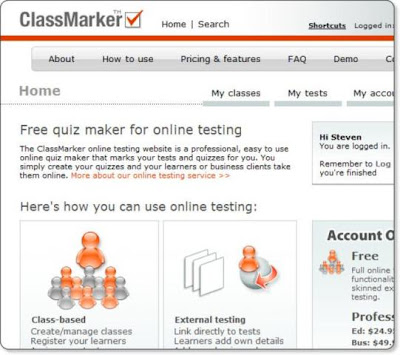
Instead of printing paper quizzes and grading them by hand, teachers can use ClassMaker to make online assessments that are graded instantly. Teachers can choose between five different formats including essay responses (obviously excluded from the “instant grading” feature). They can also randomize test questions and set time limits. Moreover this online test generator allows teachers to embed the tests in websites, grade all the tests online and send the results right away to students and parents as well.


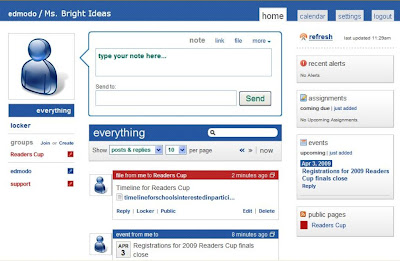
Edmodo.com is a private online social platform for teachers and students to share ideas, files, events and assignments. Built on a microblogging model, the site allows teachers the ability to handle a good deal of class activity online. Teachers can send out assignments, receive completed assignments and assign grades using the online platform. Teachers can also use the site to send text (SMS) alerts to students.

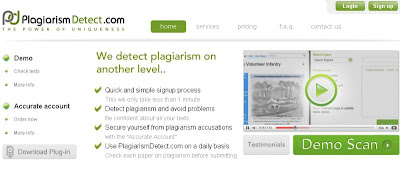
Plagiarism Detect is another high-tech plagiarism program crafted for the teachers. As internet has provided easiness for students, but some students misuse this opportunity by completely copying data from internet without using their brains and skills. So this application is really helpful for teachers to keep a check on such students and bring them back on right track.

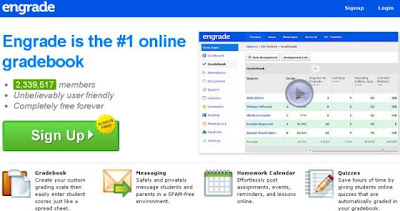
Engrade is an application that fosters organization and efficiency in education. Teachers can use this tool to manage grade books and attendance books, post assignment due dates and add individualized student reports. And this is considered to be one of the most popular applications for teachers.

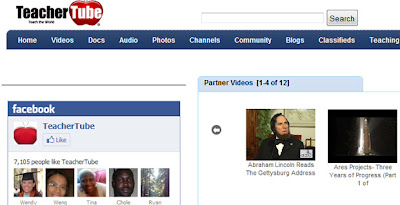
Originally part of You Tube, Teacher Tube is a focused video sharing site that holds videos of interest to teachers. The videos range from those you could actually use in the classroom with your students to those that are designed to help you solve classroom issues and get new ideas for presenting lesson plans and motivating your students.

Sparknotes has evolved to serve students and teachers on the World Wide Web. This application helps students learn and practice basic skills, write a paper, study for a test and achieve their academic goals. From summaries of classics like to Science guides, teachers can utilize this app for supplementary learning.

It is an online spreadsheet app with widespread teamwork features. This application is very useful for teachers as it helps them to plan and schedule classes for upcoming semester as it is very important for teachers to plan this before time for their comfort. And the most interesting feature is many users at the same time can edit the document and it is visible to everyone as it has the ability to be embedded in the school’s official webpage or blog.

Top 10 Tools For Internet Marketers

I am sharing with you some tools which you can use for promotion of your website, applications and blogs. This list is very helpful for get huge traffic.

Google Adwords: Keyword Tool – Check popular keywords and get suggestions on alternative keywords.

SubmitterBot – Submit your website to huge bunch of web directories.

Google Insights for Search – Check keywords searches based on location and other variables.

ValueMyWeb – Get a rough idea on your websites value based on popularity.

KeywordSpy – Check your competitors PPC keywords.

Google Search Based Keyword Tool – Check keywords search volumes, based on real searches.

Google Trends – See what people are searching for, now and in the past.

WordTracker – A good alternative to googles keyword tool.

NicheBot – Another good keyword tool.

Alexa – Provides a good insight into a website traffic rank, but also has some other useful features.

If you found these tool useful please share this post.

Roc: Free Online Music Creator

Roc from Aviary is a free online music creator that lets you create music online easily. It comes with lot of instruments that you can choose from. This online music creator has a very easy to use interface using which create your music easily.

Roc comes with lot of instruments, like different types of drums, percussions, piano, Harp, Guitar, Sitar, Beat box, and many more. You start by choosing an instrument for your music track. After that, you can use various sounds available for that instrument, and then create your track.

As you can see, Roc is really easy and fun to use. I tried it for the purpose of this review, and ended up spending lot of time on this addictive music creator. It is so easy and fun.

Roc is a really advanced web application, but it does not needs any download or installation. I am really impressed by prowess of Aviary in creating web applications. Other advanced Aviary application I reviewed earlier includes HTML5 based free online photo editor.
Try Roc free.

5 Best Free CD/DVD Rippers

Here I present you with 5 free CD/DVD ripping software that can rip high quality audio/video from CD/DVD without spending any money. A CD Ripper is a software that helps you digital audio and video from a CD. You can then play those tracks on your favorite media player.

1) Accord CD Ripper

Accord CD Ripper is an incredibly fast CD ripping freeware that allows you to rip multiple CD’s simultaneously. This software is Windows 7 compatible and comes with an interesting interface with attractive graphical buttons.
It’s very easy to download and install this free CD Ripper. And when you insert the CD, the software automatically collect the tracks and list it in on the screen. You can play the songs with the toolbar that’s provided with the program. To rip audio tracks you can select the format you want. Accord CD Ripper freeware rips audio track to WAV and MP3. All kind of CD/DVD drives are supported by this tool.
There is a logging feature and the log file shows all events, time and description. Three different visual settings are available with this tool and you can choose your preference. Though the software doesn’t offer a bunch of features, it does a decent job in ripping the CD for free. Reach out for Accord CD Ripper free software.

2. Kat CD Ripper

Kat CD Ripper is another powerful freeware CD Ripper option. It runs on all Windows platforms and comes with a very friendly user interface. You can rip your audio tracks to WAV or MP3 or OGG format with good quality.
The program comes with an in-built player that helps you listen to your favorite tracks. Also Kat CD Ripper allows you to record sound files directly from a microphone. The software supports CDDB and ID3 data file tagging formats which means you don’t have to re-label the tracks when you are done ripping. Also with Kat CD Ripper you can select a range of tracks to extract just a section of the CD.


The Miniplayer, record file option, various converting possibilities, friendly user interface etc are nice features of this free CD Ripper. Find out Kat CD Ripper by following the link.

3. WinX DVD Ripper

WinX DVD Ripper is an easy-to-use free DVD ripping software. It supports most of the video formats such as AVI, MP4, WMV, MOV, FLV, MPEG and can rip DVD audio to MP3 music files. It provides excellent video/audio quality.

This freeware is fully compatible with all types of DVDs and runs on Windows OS. Before ripping, you have the option to change the size, audio format, and audio channel of the track that you are ripping. It’s clean and stable software to work with.
The default setting of WinX DVD Ripper comes with an automatic sub-title option. Though this tool is not the fastest DVD Ripper, it’s a good choice and it’s free. Find out WinX free DVD Ripper by following the link.

4. Aimersoft Blu Ray Ripper

Aimersoft Blu Ray Ripper is the easy and quick way to rip high quality blu-ray discs to all popular video formats such as AVI, WMV, MKV, MP4, MOV etc. It can extract audio to all popular audio formats. It runs on windows platform.
This freeware supports the formats that play on your multimedia devices like iPhone, iPod, PSP, Xbox 360, Smart Phone Apple TV etc. The software facilitates batch conversions too. While ripping you have the option to change the frame rate and bit rate. It allows you to crop, split or merge videos.

Aimersoft Blu Ray Ripper free software extracts contents from digital Blu Ray DVDs and save them on your hard disk in good quality. Reach out to this tool by following the link.

5. FreeRIP MP3

FreeRIP MP3 is yet another free CD ripper that can read audio files from the CD and saves them to your hard disk. It supports a variety of digital formats such as WMA, MP3, OGG, WAV, FLAC files. It is designed to run on Windows platform.
Downloading and installing FreeRIP is a breeze. Place your CD in your CD drive, run FreeRIP and click the RIP button. It supports multiple-track ripping and has an integrated audio player. It has a quick search and it can track the info about your song on web.
Another feature of FreeRIP is that you can use this freeware as an audio converter. It can convert audio files to other format. If you switch FreeRIP to Converter mode, you can do all possible conversions between all supported audio formats. Download FreeRIP free CD ripper by following the link.

4 Best Free Services to Send Large Files by Email

Here are 4 free software to send large files by email. These software let you send really large files over the internet from your email.
Normally emails stop attaching files more than 20MB or so. These free large file sending software take care of sending large attachments in email.

Pando Free Large File Sending Service


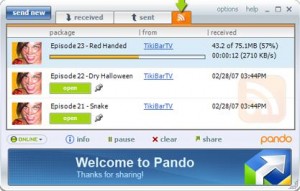
Pando makes sending large files by email no more a difficult task. Install Pando app, browse your desired file, attach it to your email and Pando attaches a .pando file along with it and that’s all. When the recipient opens your attachment it kicks Pando app into action and it gets your attachment for the recipient.  You will get your job done for no cost.
As you select your file to share, a copy of the file is uploaded to Pando’s secure server and it keeps your file for 2 weeks allowing you to download anytime within this period. Pando lets you upload up to 1GB for free.
Pando will provide service with Gmail, Yahoo, Outlook, Hotmail and AIM or you can post your attachment to your blog as well.
If you are not a Windows or Mac user or if you can’t download and install Pando; then it’s difficult for you to make use of Pando software as Pando doesn’t offer a web interface. For all others, Pando is probably one of the easiest free software to send large files by email. Try Pando software.

SendThisFile

 
Send files of unlimited size by email through SendThisFile software. All you need to do is to get your free SendThisFile account. After that, enter recipient’s email address and start sharing your GB-large files for free.
SendThisFile stores your file for up to 3 days in the server and your file can be downloaded for 3 times during this period. Your files are password protected and all the transfers are encrypted and transmitted securely and safely.
The best part about SendThisFile is that you do not need to download any software to use this service, and there is no restriction on the file size.
You can reach SendThisFile here. So start sending and receiving your large file just with a free SendThisFile button click.

SEND6

 
SEND6 is another free large file sending service which allows you to send up to 250 MB file from web based interface. No need to register and you can send your next file in another 10 minutes.
Send6 also comes with a desktop application, but that has a file size limit of 100MB only.
Send6 comes with an address book feature and you can select your recipients from it. It stores the file for up to 7 days in the server. Though lack of password protection, virus scan etc can be taken as a limitation of SEND6, its advanced features are available with a registered account. Reach SEND6 through this link.

YouSendIt

 
YouSendIt is another free large file sending service to send large files by email. You can send up to 100MB files for free. A free virus scanner is an added advantage with YouSendIt. The scanner can scan for all the known viruses.
All the transfers happen on a secure environment and your files are all password protected. Your recipient will receive a link to the page and the file can be downloaded. Just three simple steps and your large file will reach your recipient for free.
The web interface would look as shown in the figure below and as you can see, YouSendIt won’t allow you to copy someone. Find YouSendIt online here.
If you want to send large files by P2P, you can use Orb or GigaTribe.
Now you no longer have to resort on USB drives for large file transmission. Try out all these free large file transfer services and let me know how it went for you. Have fun sharing your bulk attachments for free…

5 Free Software to Download Facebook Photos and Albums

Here are five free software to facebook photos or albums. Ever felt it inconvenient in downloading pictures from facebook, the largest social networking site? Let’s explore easy ways of downloading photos from facebook with free Facebook photo downloaders.

1. FacePad: Firefox Plugin to Download Facebook Photos

FacePad is a small Firefox add-on that helps you to download photos in batches from facebook. After installation, just find the facebook album that you want to download, right click on that and download album with FacePad as shown in the picture below.

The Photo Album Downloader is easy to use and totally free.  Download it using links at the end.

Download:

You will get your Facebook album downloaded in just a mouse click. FacePad searches through the album and gets it downloaded for you.
If there are more pictures in the selected album, then FacePad may take a while to search through it.
Apart from this limitation, FacePad is just free and is indeed a great and safest way to download your favorite Facebook photos to your computer using your Firefox. Reach yourFacePad add-on directly through the link.

2. FotoBounce: Download and Upload Photos to Facebook

FotoBounce is yet another easy way to manage your Facebook photos. Download and install FotoBounce which comes for Windows or Mac platform. It works locally from your computer and you are free to download any picture from your Facebook album list as shown in the picture below.
 

Download:

Download Link: Download Fotobounce Free
FotoBounce has an advanced built-in face recognition which allows to easily tag your photos just as how Picasa web album works.
FotoBounce utility can also be used to upload your pictures to facebook gallery. While installing the software you provide a picture library path and this path will be used to select your photos for upload. All-in-all FotoBounce is wonderful free software available to download your favorite photos from facebook. Find FotoBounce here.

3. FaceDown: Download Facebook Photos on All OS

FaceDown is another fastest and easiest means to download your facebook photos. The best part of FaceDown is that it works with all the major OS, including Windows, Mac, and Linux.
To download Facebook photos, download and install FaceDown software. Give the address of the photo you want to download as shown in the picture below and click ‘Download’. FaceDown will download the pictures for you.
FaceDown makes the picture still downloadable for you even if you do not have access to, as you are playing with URL for photo download!
FaceDown provides yet another feature called ‘SuperStalker mode’. By going to a ‘Super Stalker mode’, FaceDown lets you download all the photos in which that person is tagged in. In short wherever this person is present in facebook you get to download all those pictures or albums through FaceDown. Reach for FaceDown by clicking the link.

4. Social Photo Download: Facebook App to Download Facebook Photos

Download your facebook albums within seconds through Social Photo Download. Download and install the free software for Windows or Mac OS.
Once you finish installing, you can now open the executable file. The executable will ask you to login to your facebook account. As you allow access for the software, it fetches all yours and your friend’s album list.

Select the Facebook photo or album you want to download click Download Album as shown in the picture below. Your album will be downloaded from facebook for free. So what you are waiting for? Install your Social Photo Download software through this link.

5. Photo Downloader

This is an open source project for simple and easy downloading of your Facebook photos. This freeware helps you to download any picture or album from facebook or from Google Picasa.
Download and install Photo Downloader and login to facebook. Select the picture or album you want to download, provide the destination path and download it. Photo Downloader downloads the file and stores it in the destination path provided by you. Find Photo Downloader directly by following the link..

Conclusion:
All these free software make it extremely easy to download your Facebook Photos. Enjoy downloading your favorite photographs from facebook for free with these tools. Let us know if you know some other great tool.

Older Posts